Comprehensive test management tool enhancing clarity and oversight in software testing
Comprehensive test management tool enhancing clarity and oversight in software testing
Vote (7 votes)
Program license Trial version
Developer Gurock Software
Version 5.5
Works under Windows
Vote
(7 votes)
Developer
Gurock Software
Works under
Windows
Program license
Trial version
Version
5.5
Pros
- Flexible deployment: cloud and on-premises options
- Intuitive, customizable interface
- Robust integrations with leading DevOps tools
- Excellent collaboration features for distributed teams
- Comprehensive reporting and analytics suite
- Scalable to support large enterprise workloads
Cons
- Learning curve for complex workflows and customization
- Premium pricing may not suit smaller teams
- Limited offline functionality
- Advanced features may require additional setup
Powerful web-based test case management for modern QA teams
Efficient Test Management for Diverse QA Needs
TestRail offers a robust platform for organizing, executing, and tracking software testing activities, tailored for teams of any size. Designed to streamline both manual and automated workflows, this web-based application enhances visibility across the entire QA lifecycle. By serving as a centralized hub for test cases, runs, and results, TestRail caters to product managers, QA professionals, and developers seeking structured collaboration.
Comprehensive Feature Set
TestRail enables detailed management of test cases with customizable fields, versioning, and hierarchical organization across projects. Teams can define milestones, plan test runs, and easily assign tasks to individuals, improving accountability and focus. The software also supports parameterized tests and templates, which reduce redundancy and speed up suite creation for complex products.
For high-volume and complex testing, the platform's real-time dashboards deliver streamlined oversight. Dynamic charts and color-coded indicators help teams quickly assess test coverage, progress, and bottlenecks. Statuses such as Passed, Failed, Blocked, and Retest are visually distinguishable, aiding in fast reporting and stakeholder communication.
Cloud and On-Premises Flexibility
TestRail offers both cloud-hosted and on-premises (server) deployment. Cloud setup is rapid and managed by the vendor, while the on-premises edition allows organizations to host TestRail on their own infrastructure, supporting security and compliance requirements. Both options include regular updates and technical support.
Collaboration and Integration
Real-time collaboration is a strong suit of TestRail. Team members can concurrently access, comment on, and update test cases, ensuring smooth information flow between QA and development. Built-in notification systems keep teams apprised of changes or blockers. Additionally, advanced user permissions allow project leads to control access at granular levels.
For seamless integration into existing DevOps pipelines, TestRail connects with a wide array of tools: it offers built-in plugins and a robust API for integrating with popular bug trackers (like JIRA, Redmine), CI/CD systems, and automation frameworks.
User Experience and Performance
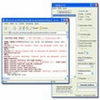
The application’s interface is modern and intuitive, emphasizing rapid access to test data. Navigation is straightforward, and responsive design ensures usability on desktops and tablets alike. The FastTrack view consolidates relevant test information on a single screen, reducing context-switching and increasing tester efficiency.
Performance is notable, especially for larger installations—TestRail is optimized to serve enterprises managing thousands of test cases and concurrent users, with minimal lag.
Reporting and Analytics
TestRail provides detailed reporting tools, including trend analyses, burn-down charts, and exportable summaries. Reports can be scheduled or generated ad hoc, supporting compliance audits and upper management reviews. Traceability is maintained through audit logs and historical data access.
Licensing and Support
A trial version is available, allowing teams to evaluate features before committing. Flexible licensing options accommodate growing organizations, and renewal terms are clear. Documentation is comprehensive, and customer support is responsive, offering both technical guidance and best practices.
Pros
- Flexible deployment: cloud and on-premises options
- Intuitive, customizable interface
- Robust integrations with leading DevOps tools
- Excellent collaboration features for distributed teams
- Comprehensive reporting and analytics suite
- Scalable to support large enterprise workloads
Cons
- Learning curve for complex workflows and customization
- Premium pricing may not suit smaller teams
- Limited offline functionality
- Advanced features may require additional setup